Lifeguard Simulator Official & Community Links
Steam, Discord, FreeMind, and social channels—plus a clear unofficial wiki disclaimer.
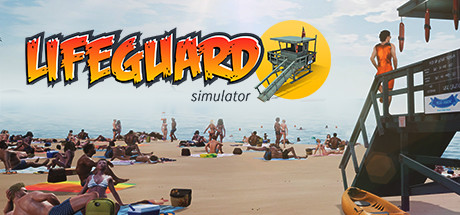
This Links Hub gathers official and community doors for Lifeguard Simulator so you are not hunting URLs mid-shift. Bookmark Steam, FreeMind, and Discord first; use socials for trailers; then return to wiki hubs for guides, vehicles, tools, and updates. lifeguardsim.wiki is fan-made and unofficial—not FreeMind S.A., PlayWay S.A., or Valve.
Lifeguard Simulator (Lifeguard Sim) entered Steam Early Access on November 27, 2026. You manage tower watches, tickets, parties, kids, sharks, marine animals, fuel logistics, and water saves with quads, jet skis, motorboats, drones, and a helicopter. When price, patches, or specs matter, prefer the links below over a random comment screenshot.
Official game and studio
- Steam — Lifeguard Simulator — buy, wishlist, news, specs. App 1320170; demo 4743410.
- FreeMind Games — developer studio site.
- Publisher: PlayWay S.A. (see Steam for the live credit block).
Use Steam news as the primary patch source, then our Updates Hub and Early Access pages for player-facing summaries.
Community chat
- Official Discord — feedback, bugs, and discussion. Bring day number, vehicle, and clear repro steps.
Discord is faster and noisier than Steam news. Prefer pins and staff posts over rumors when chasing hotfixes.
Video and social discovery
- YouTube — FreeMind / Lifeguard Simulator trailers and EA showcases (example trailer ID on this wiki:
lFDfcg9KZ2U). - TikTok — short rescue clips; great for discovery, weak for patch accuracy.
- X (Twitter) — studio/publisher posts; configured handle reference
@GamesFreemindwhere relevant. - Facebook — occasional studio or publisher shares.
Social posts are not patch notes. After a viral vehicle trick, confirm in your build and cross-check the Vehicles Tier List plus Steam news.
Wiki hubs
- Guides Hub — walkthroughs, rescues, patrols, days.
- Getting started — first successful shifts.
- How to rescue — water saves and oxygen pressure.
- Beach patrol — sand routines.
- Day walkthrough — ten scripted days and the random loop.
- Vehicles Tier List — quad, jet ski, motorboat, drone, helicopter.
- Tools Hub — controls and system requirements.
- Updates Hub — EA tracking and note-reading habits.
Unofficial wiki disclaimer
lifeguardsim.wiki is an unofficial fan resource. Names and marks belong to their owners. We do not sell the game or speak for FreeMind or PlayWay. Guides can lag hotfixes; when this site and Steam disagree on price, specs, or features, Steam wins.
Do not paste piracy links or stolen accounts into community channels. Keep bug reports factual. If you republish summaries, link back and drop stale patch claims.
Verify a “news” claim in 60 seconds
- Open Steam news on the store page.
- Check Discord pins or staff messages.
- Skim Early Access for roadmap framing.
- Only then update personal notes on vehicles or day order.
Bookmark sets
New players often keep Steam, Discord, getting started, and this Links Hub open. Veterans swap in the day walkthrough and tier list. Hardware stays on system requirements; binds stay on controls.
When friends ask “is this legit?” send Steam first, Discord second, and this wiki third for structured how-tos. That order keeps expectations honest across a ~12-month Early Access arc where beaches and day scripts keep evolving.
Frequently Asked Questions
Quick answers to the most common questions.
Is this wiki official?
No. lifeguardsim.wiki is an unofficial fan project. Use Steam and FreeMind channels linked above for purchases, notes, and specs.
Where do I buy or wishlist Lifeguard Simulator?
Use the official Steam page for app 1320170. The demo is app 4743410. This wiki does not sell keys.
What is the Discord invite?
Join at https://discord.gg/Ev42djcSNH for feedback and discussion. Prefer clear bug reports over vague complaints.
Where should I start after bookmarking links?
Read getting started, then the Guides Hub and Vehicles Tier List.
Where are Early Access details?
See Early Access and the Updates Hub for launch timing, price notes, and feedback tips.